Business process automation (BPA) and robotic process automation (RPA) are two of the most practical automation approaches available to Australian small businesses today, yet they're constantly confused — and that confusion leads to wasted budget and stalled projects. Both reduce manual work, but they do it in fundamentally different ways, at different price points, and for different types of processes. Choosing the wrong one doesn't just waste the tool subscription; it eats your team's time during a failed setup and damages confidence in future automation efforts.
According to Deloitte's Global RPA Survey, 78% of organisations implementing RPA expect to increase capacity significantly over the next three years — but the same survey found that many implementations stall because businesses choose the wrong automation approach for their workflows. The comparison below breaks down what each approach actually does, what it costs in Australian dollars, and how to decide which one fits your business in under 30 minutes. If you've ever stood at the automation crossroads wondering whether you need Zapier or UiPath, this is your decision guide.
Key Takeaways
- BPA connects modern cloud apps via APIs to automate end-to-end workflows; RPA uses software bots that interact with application interfaces to automate repetitive, screen-based tasks — including legacy systems without APIs
- BPA tools like Zapier and Make.com start at $14–30/month AUD; RPA tools like UiPath start at $0 (Community Edition) but reach $420+/month for enterprise tiers
- Choose BPA when your tools have native APIs and you need multi-step workflows; choose RPA when you're working with legacy software, PDFs, or screen-based data entry that has no API
- According to McKinsey Global Institute, up to 45% of worker activities could be automated with current technology — but the right approach depends on whether those activities are API-accessible or screen-based
- Most Australian SMBs should start with BPA for their first three automations, then add RPA for specific legacy-system bottlenecks where APIs don't exist
What Is the Difference Between BPA and RPA?
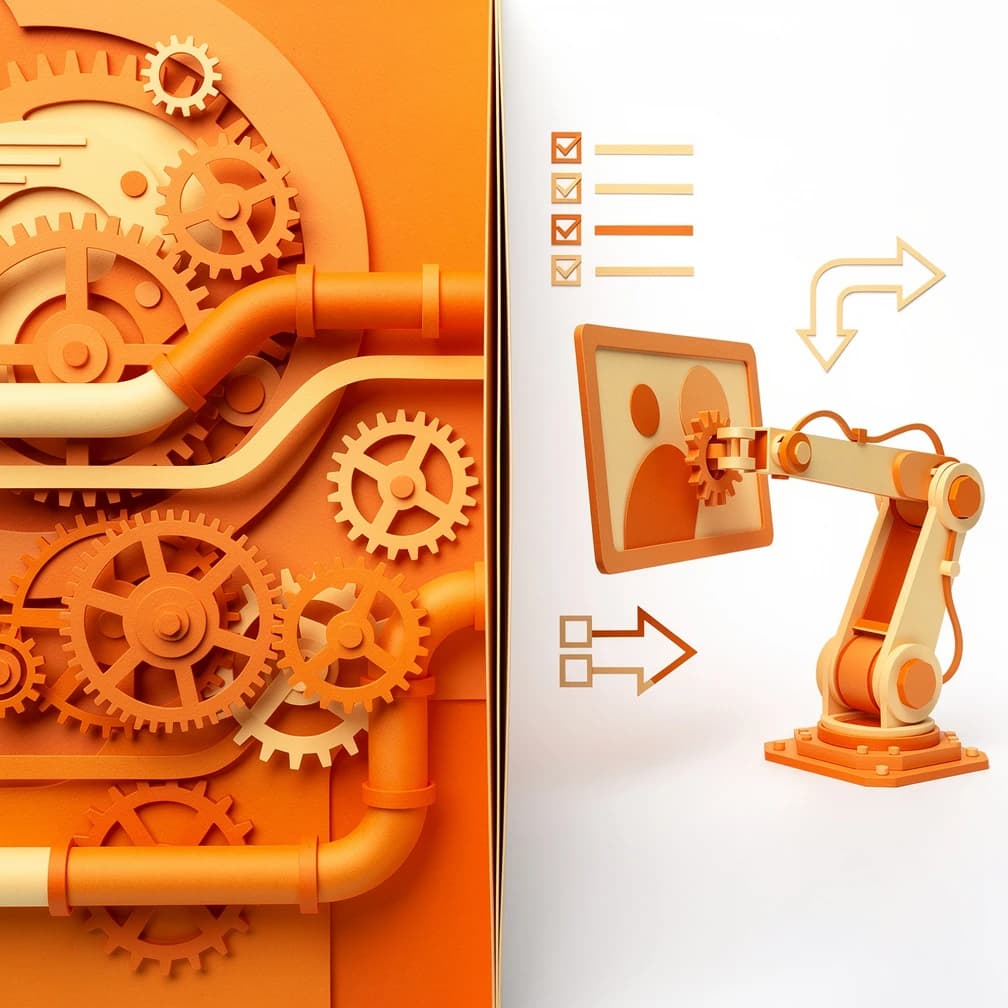
Business process automation (BPA) and robotic process automation (RPA) differ in one fundamental way: how they interact with your software. BPA connects applications through their APIs — the built-in integration interfaces that modern cloud tools provide — to move data between systems automatically. RPA, by contrast, uses software bots that interact with applications through the user interface, clicking buttons, reading screens, and copying data exactly as a human would. This single difference determines everything else: cost, setup complexity, maintenance, and which processes each approach can handle.
BPA is a broad category that covers any effort to automate end-to-end business processes using software. It typically uses integration platforms like Zapier, Make.com, or Microsoft Power Automate to connect your CRM, accounting software, email marketing tool, and project management platform. When a new lead fills out a form on your website, BPA can route that lead into your CRM, send a welcome email, create a follow-up task, and notify the sales team — all through API connections that run reliably in the background. According to McKinsey Global Institute, automating routine information tasks can boost productivity by 20–35% in service businesses.
RPA is narrower and more specific. It deploys software bots that replicate human actions on a computer screen — logging into a legacy accounting system, navigating to a report page, exporting a PDF, and emailing it to a recipient. RPA is essential when you're dealing with software that has no API: older desktop applications, on-premise systems, government portals, or files like PDFs and spreadsheets that sit outside any connected ecosystem. The Deloitte Global RPA Survey found that finance and accounting represents roughly 40% of all RPA deployments in small and mid-size businesses, largely because legacy accounting systems often lack modern APIs.
| Dimension | BPA (Business Process Automation) | RPA (Robotic Process Automation) |
|---|---|---|
| How it works | Connects apps via APIs | Bots interact with software via the screen |
| Best for | Multi-step cloud-app workflows | Legacy systems, screen-based tasks, PDFs |
| Typical tools | Zapier, Make.com, Power Automate | UiPath, Automation Anywhere, Power Automate Desktop |
| Starting cost (AUD) | $14–30/month | $0 (Community) to $420+/month |
| Setup time | 10 min – few hours per workflow | 4 hours – 3 days per bot |
| Maintenance | Low (APIs self-document) | Medium–high (UI changes break bots) |
| Technical skill | No-code visual builder | Low-code; some logic required |
| When to use | Your tools have APIs | Your tools don't have APIs |
When Should You Choose BPA Over RPA?
Choose BPA when your business processes involve modern cloud applications that offer API integrations — which covers the majority of tools Australian SMBs already use, including Xero, HubSpot, Shopify, Mailchimp, Slack, and Google Workspace. BPA is the right choice when you need to automate multi-step workflows that span several applications, when you want changes to be easy to maintain, and when your team doesn't have a dedicated developer. If your tools were built in the last five years and are cloud-hosted, BPA is almost always the starting point.
The practical test is simple: if your process involves moving data between cloud apps that have integration directories (check zapier.com/apps or make.com/en/integrations), BPA is your answer. For example, when a client pays an invoice in Xero, BPA can automatically update a record in your CRM, send a confirmation email, and log the payment in a Google Sheet — all through native API connections. This type of workflow takes 20–40 minutes to set up in Make.com and runs reliably without anyone touching it. Our business process automation tools guide covers the best BPA platforms for Australian SMBs with real pricing and use-case comparisons.
BPA also wins on maintenance. When an API changes, the integration platform usually handles the update on their end — your workflow keeps running. When an application's interface changes, an RPA bot that clicks through that interface breaks and needs to be rebuilt. For Australian SMBs without a technical team, this maintenance difference is often the deciding factor. According to Gartner, API-based integrations have a significantly lower total cost of ownership than UI-based automation over a three-year period, largely due to reduced maintenance overhead.
Pro tip
Pro tip: Check whether your existing software subscriptions include built-in automation before buying a separate BPA tool. Microsoft 365 includes Power Automate at no extra cost, Xero includes basic workflow automations, and HubSpot's free tier includes workflow automation for up to two workflows. You may already have BPA capability you're not using.
When Does RPA Make More Sense Than BPA?
RPA makes sense when your processes involve software that has no API — legacy desktop applications, on-premise systems, government portals, or file-based workflows involving PDFs and spreadsheets. If your team spends hours each week manually logging into an old accounting system, exporting reports, copying data into another application, or navigating a clunky web portal that was never designed for integration, RPA is the approach that can automate that work. BPA simply cannot touch these systems because there's no API to connect to.
The clearest RPA use case for Australian SMBs is legacy system interaction. Many Australian businesses run on software that predates the API era — older versions of MYOB, desktop-based practice management tools, state government business portals, and industry-specific software that was never built with integrations in mind. A bot can log into these systems, navigate to the right page, extract or enter data, and log out — replicating the exact steps a human would take. According to the KPMG Intelligent Automation survey, finance and accounting tasks dominate RPA deployments precisely because legacy accounting systems are the most common API-free bottleneck in small businesses.
RPA also excels at tasks that involve unstructured data — reading PDFs, extracting data from emails with varying formats, or processing scanned documents. While BPA requires structured, predictable data formats to route information correctly, RPA bots can be trained (often with AI assistance) to read and interpret documents that don't follow a strict template. For a deeper look at how AI extends traditional automation capabilities, our intelligent automation guide covers the intersection of RPA, BPA, and AI decision-making. For a more technical perspective on how AI models power document understanding in modern RPA bots, the AI Insights blog covers the machine learning behind intelligent document processing.
Pro tip
Common mistake: Don't deploy RPA for a process that could be handled by a BPA tool. RPA bots are more expensive to build, harder to maintain, and more fragile than API-based workflows. If a Zapier integration exists for your tool, use it. Reserve RPA for the processes where no API path is available — this is typically 10–20% of automation opportunities in a modern SMB, not the majority.
How Much Do BPA and RPA Cost for Small Businesses?
BPA and RPA costs differ significantly in both upfront investment and ongoing expense. BPA tools are almost always cheaper for Australian SMBs — starting at $14–30/month for mainstream platforms — because they use existing APIs and require no custom bot development. RPA costs range from $0 for community editions to $420+/month for enterprise tiers, but the real cost lies in setup time and maintenance, which typically requires either a technically skilled team member or an external consultant. For a small business automating its first process, BPA is usually the more cost-effective entry point.
The cost comparison below shows what Australian SMBs can expect to pay for each approach across common scenarios. These figures are based on current Australian pricing as of 2026 and reflect the all-in cost — not just the subscription, but the time investment required to set up and maintain each automation type.
| Cost Factor | BPA (e.g., Zapier, Make.com) | RPA (e.g., UiPath, Power Automate Desktop) |
|---|---|---|
| Monthly subscription | $14–75/month | $0–420+/month |
| Setup time per workflow | 20 min – 3 hours | 4 hours – 3 days |
| Setup cost (if outsourced) | $200–800 | $1,500–5,000 |
| Annual maintenance | Minimal (API updates handled by platform) | 5–15 hours/year per bot (UI changes) |
| Training required | 1–2 hours (visual builder) | 1–3 days (bot logic, error handling) |
| Typical payback period | 4–8 weeks | 3–6 months |
| Best for budget | First automations, high-volume tasks | Legacy system bottlenecks |
According to Deloitte Access Economics, Australian SMBs typically recover automation tool costs within the first 4–6 weeks from time savings alone when using BPA platforms. For RPA, the same research suggests payback periods of 3–6 months, reflecting the higher setup investment and the fact that RPA is typically deployed on lower-frequency tasks than BPA. For a complete cost breakdown across different automation scenarios, our AI implementation cost guide covers the full investment picture for Australian SMBs.
The hidden cost in RPA is bot maintenance. Every time a software application updates its interface — a new button, a rearranged menu, a changed login flow — the RPA bot that navigates that interface may break and need reconfiguration. BPA workflows are largely immune to this because they interact with APIs, not visual interfaces. When budgeting for RPA, allocate 10–15% of the initial build cost annually for maintenance and bot updates. For BPA, this cost is close to zero.
Can You Use BPA and RPA Together?
BPA and RPA work best as complementary approaches, not competing ones. Most Australian SMBs that have matured their automation capabilities use BPA for the majority of their workflows — anything involving cloud apps with APIs — and reserve RPA for the specific processes where no API path exists. The two approaches can even be chained together: a BPA workflow triggers an RPA bot to extract data from a legacy system, then passes that data back into the BPA pipeline for processing through cloud apps. This hybrid model captures the cost efficiency of BPA and the reach of RPA.
A practical example: an Australian professional services firm uses BPA to manage their entire client onboarding workflow — when a new client signs (triggered via a form submission), BPA creates a project in their practice management tool, sets up a shared folder in Google Drive, sends a welcome email, and schedules a kick-off meeting. But the firm also needs to register the new client in a legacy government compliance portal that has no API. An RPA bot handles that step — logging into the portal, entering the client details, and confirming the registration. The BPA workflow triggers the RPA bot at the right moment, then continues with the rest of the onboarding sequence once the bot confirms completion.
This hybrid approach is what McKinsey describes as the automation stack — layering different automation technologies to handle different types of processes within a single end-to-end workflow. The key is sequencing: start with BPA for your highest-volume, most API-accessible processes, then identify the specific bottlenecks where RPA is needed to bridge the gap. Most Australian SMBs find that BPA handles 70–80% of their automation opportunities, with RPA filling the remaining 20–30% on legacy systems and unstructured data tasks. For a roadmap on building this layered stack over 90 days, our business process automation roadmap covers the six-phase approach we use with GrowthGear clients. For sales-specific automation workflows — CRM data entry, lead routing, pipeline updates — the Sales Mastery blog covers RPA and BPA applications in the sales stack specifically. And for marketing workflow automation — email sequences, social scheduling, content distribution — the Marketing Edge blog has practical BPA setup guides for marketing teams.
How to Decide Between BPA and RPA in 30 Minutes
The fastest way to decide between BPA and RPA is to answer three questions about the process you want to automate: does the target software have an API, how frequently does the process run, and how structured is the data involved? If the software has an API (most cloud apps do), choose BPA. If it doesn't (legacy systems, government portals, desktop applications), choose RPA. If the process runs fewer than 20 times per week, the ROI on either approach may not justify the setup cost — start with a higher-frequency process first. These three questions resolve the BPA-vs-RPA decision for 90% of Australian SMB automation opportunities.
Step 1 — List your target process and the software involved. Write down every application the process touches. For each one, check whether it appears in the Zapier app directory (zapier.com/apps) or has a public API documented on its website. If yes for all apps, BPA is your answer. If no for any critical app, you need RPA for that step.
Step 2 — Count the frequency. How many times per week does this process run? According to McKinsey Global Institute, the automation ROI threshold is roughly 20+ instances per week for a process taking 5+ minutes each. Below that, the setup cost — especially for RPA — may not pay back within a reasonable timeframe.
Step 3 — Assess data structure. Is the data involved in a consistent, structured format (form submissions, database records, spreadsheet rows)? BPA handles this well. Is it unstructured (PDFs, emails with varying formats, scanned documents)? RPA — potentially with AI-assisted document understanding — is the right fit.
| Decision Factor | Points to BPA | Points to RPA |
|---|---|---|
| API availability | All apps have APIs | One or more apps have no API |
| Software type | Cloud-based (Xero, HubSpot, Shopify) | Desktop or legacy (old MYOB, gov portals) |
| Data format | Structured (forms, database fields) | Unstructured (PDFs, varied email formats) |
| Frequency | High (20+ times/week) | Medium (can be lower if task takes 10+ min) |
| Team technical skill | Non-technical (visual builder) | Some logic/low-code comfort |
| Budget | Under $100/month | Can invest in setup + $50–420/month |
| Maintenance tolerance | Low (set and forget) | Can handle periodic bot updates |
Once you've answered these three questions, the decision is usually clear. For a deeper prioritisation framework — deciding which process to automate first across your entire business — our guide on which business processes to automate walks through the scoring model we use with clients. And the AI Implementation Playbook covers the full sequence from process selection through to measured rollout.
BPA vs RPA Summary: Key Differences at a Glance
| Aspect | BPA | RPA |
|---|---|---|
| Primary mechanism | API connections between cloud apps | Software bots interacting via UI |
| Best use case | Multi-step cloud workflows | Legacy systems, PDFs, screen-based tasks |
| Cost entry point | $14–30/month | $0 (community) to $420+/month |
| Setup complexity | Low (no-code visual builder) | Medium–high (bot logic, error handling) |
| Maintenance burden | Low (platform handles API updates) | Medium–high (UI changes break bots) |
| Payback period | 4–8 weeks | 3–6 months |
| Coverage of typical SMB needs | 70–80% | 20–30% |
| Recommended starting point | Yes — start here | Add for legacy bottlenecks only |
| Maturity signal | First 3 automations | After BPA foundation is working |
The businesses that succeed with automation aren't the ones that pick the most sophisticated tool — they're the ones that match the right approach to the right process. Start with BPA for your highest-volume cloud-app workflows, measure the time saved, then layer in RPA for the specific legacy-system tasks that BPA can't reach. If you're unsure which of your processes are BPA candidates versus RPA candidates, that's exactly the kind of assessment we do at GrowthGear — we've helped 50+ Australian businesses map their automation opportunities and build a sequenced plan that doesn't waste budget on the wrong tool. Our AI Workflow Automation service is the right starting point if you want experienced eyes on your processes before you invest.
Frequently Asked Questions
BPA connects modern cloud applications through their APIs to automate multi-step workflows automatically. RPA uses software bots that interact with application interfaces — clicking buttons, reading screens, and copying data — to automate tasks in systems that have no API, including legacy desktop applications and government portals. BPA is broader and cheaper; RPA is narrower but reaches where BPA cannot.
BPA is significantly cheaper for most small businesses. Tools like Make.com start at around $14/month AUD and Zapier at around $30/month, with setup taking 20–40 minutes per workflow. RPA community editions are free, but paid tiers reach $420+/month and setup typically takes 4 hours to 3 days per bot. According to Deloitte, BPA payback averages 4–6 weeks versus 3–6 months for RPA.
Yes — and they work best as complementary approaches. Use BPA for the majority of your workflows involving cloud apps with APIs, then add RPA bots for specific legacy-system tasks that BPA cannot reach. The two can be chained: a BPA workflow triggers an RPA bot to extract data from a legacy system, then passes that data back into the BPA pipeline for cloud-app processing.
Choose RPA when your target process involves software with no API — legacy desktop applications, on-premise systems, government compliance portals, or file-based workflows involving PDFs and scanned documents. If the application doesn't appear in integration directories like Zapier's app library, RPA is likely your only automation path for that system.
Neither requires traditional coding. BPA platforms like Zapier and Make.com use visual drag-and-drop builders that non-technical users can learn in 1–2 hours. RPA tools like Power Automate Desktop and UiPath Studio use low-code visual builders, but require more logic-building skill — typically 1–3 days of training to build your first bot confidently. If you can write a clear step-by-step procedure, you can use either approach.
Hyperautomation is the practice of combining multiple automation technologies — BPA, RPA, AI, and process mining — into a coordinated stack that handles entire end-to-end workflows. BPA and RPA are the foundational layers; AI adds decision-making capability for exceptions and unstructured data. Our hyperautomation guide for small business covers how to build this layered stack and what the investment looks like at each stage.
Sources & References
- Deloitte Global RPA Survey — "78% of organisations implementing RPA expect to significantly increase capacity; finance and accounting represents 40% of all RPA deployments in small and mid-size businesses." (2023)
- McKinsey Global Institute — Future of Work — "Up to 45% of worker activities could be automated with current technology; automation typically delivers 20–35% productivity gains on touched processes." (2022)
- Gartner AI Insights — "API-based integrations have a significantly lower total cost of ownership than UI-based automation over a three-year period due to reduced maintenance overhead." (2024)
- KPMG Intelligent Automation Survey — "Finance and accounting tasks dominate RPA deployments due to legacy accounting systems lacking modern APIs." (2020)
- Deloitte Access Economics — Australian SMB Automation — "Australian SMBs typically recover BPA tool costs within 4–6 weeks; RPA payback averages 3–6 months." (2025)