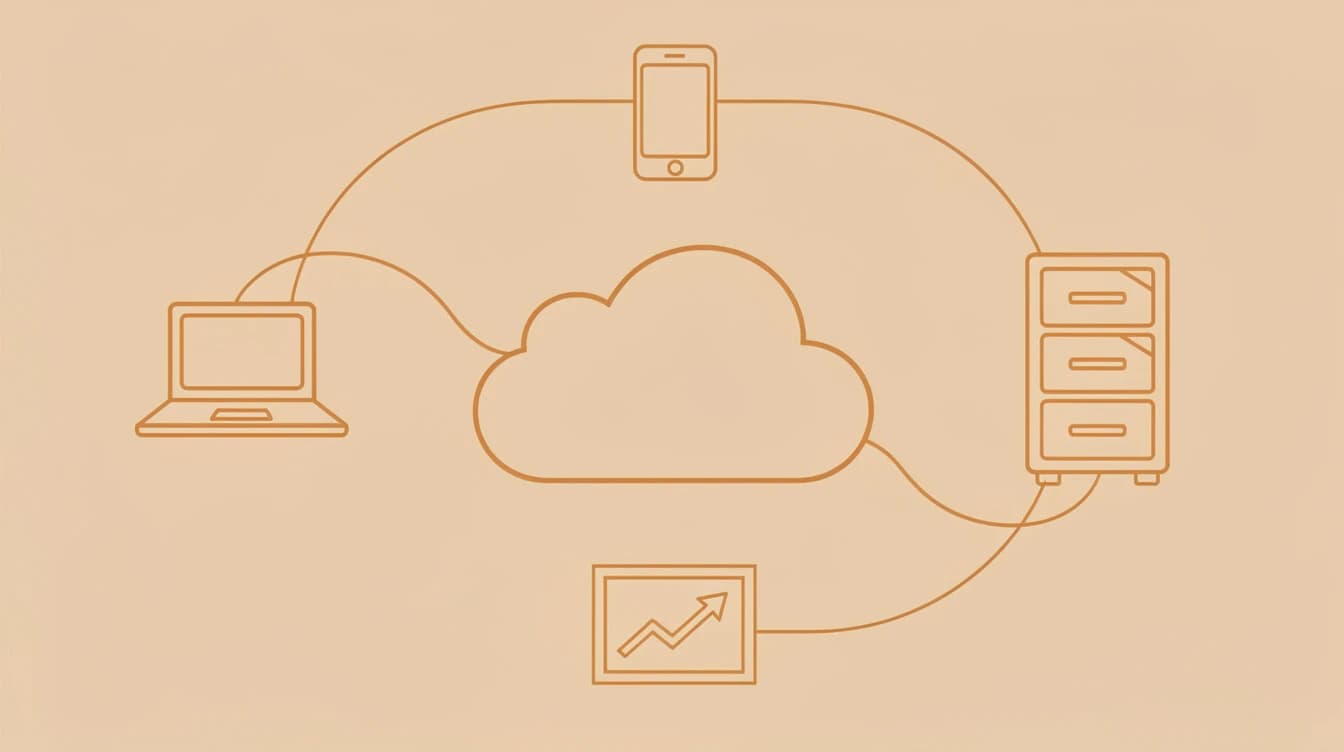
Moving your business to the cloud sounds like a major undertaking — until you compare it to what staying on ageing desktop software actually costs. For Australian small businesses in 2026, cloud adoption is the infrastructure layer that makes AI tools, remote work, and real-time reporting possible. A staged migration is more affordable than most operators expect, and the productivity gains typically become visible within the first few months.
Key Takeaways
- Australian SMBs that move to cloud-based accounting and file storage typically recoup migration costs within 12-18 months, according to Deloitte Access Economics research on SMB technology investment.
- Start with accounting software, then file storage, then CRM — this sequence minimises disruption and delivers the fastest return on each step.
- A full cloud migration for a 10-person Australian SMB costs $2,000-$8,000 in one-off setup plus $150-$400/month in ongoing subscriptions.
- Cloud-native platforms are the prerequisite for AI tools — businesses on desktop software are effectively locked out of AI automation that cloud-connected competitors use every day.
- A phased 90-day migration, running new and old systems in parallel for 2-4 weeks each, is the standard low-risk approach for businesses with 5-50 staff.
Why Cloud Adoption Matters for Australian SMBs in 2026
Cloud adoption gives Australian small businesses three immediate advantages: lower infrastructure costs (no server hardware to buy or maintain), real-time access to business data from any device, and the ability to connect AI tools that only integrate with cloud-based platforms. For businesses still relying on local servers or desktop-only software, these gaps compound every year while competitors pull further ahead.
The Australian Bureau of Statistics Business Characteristics Survey shows cloud computing is now the dominant IT delivery model for Australian businesses above 20 employees, but adoption among smaller SMBs still trails larger firms by a wide margin. That gap represents an opportunity — businesses that complete their cloud migration now gain a two-to-three year operational head start over competitors still debating the move.
The infrastructure cost case is straightforward. Local servers require hardware refreshes every 3-5 years ($4,000-$15,000 per server), ongoing IT support contracts, and manual backup systems. Cloud alternatives roll all of this into a monthly subscription with automatic updates, offsite redundancy, and zero capital expenditure. For a business running a server purchased in 2021, that hardware refresh is due soon — and it's worth comparing the cost of a new server against a cloud migration before you write the cheque.
The AI access argument is equally important and often overlooked. Cloud-native tools like Xero, HubSpot, and Microsoft 365 have AI features built into their core product. Workflow automation platforms like Zapier and Make connect exclusively to cloud APIs. Desktop software from 2015 was never designed to integrate with a modern AI stack — and retrofitting it is rarely viable.
What to Move First: The Migration Priority Order
The right cloud migration sequence is: accounting software first, file storage second, CRM third, and communication tools fourth. This order delivers measurable return at each step, keeps operational risk low by limiting the scope of change at any one time, and builds toward a fully connected stack that supports AI automation in the next phase.
Priority 1: Accounting Software
For Australian SMBs, Xero and MYOB Business (cloud version) are the standard choices. Both support ATO requirements including GST, BAS lodgement, and Single Touch Payroll. Xero's Starter plan is $32/month, Growing is $65/month — and both include live bank feeds that reduce reconciliation from several hours per week to under 30 minutes. MYOB Business starts at $27/month and suits businesses already familiar with the MYOB interface.
This single migration typically saves 2-4 hours per week on bookkeeping. It also means your accountant can log in directly, eliminating the weekly file-export-and-email workflow that wastes time on both sides of the relationship.
Priority 2: File Storage
Microsoft OneDrive (included in Microsoft 365 from $11.60/user/month in Australia) or Google Workspace (from $9/user/month) replaces the shared drive on a local server. Files become accessible from any device, version history is automatic, and simultaneous editing eliminates the "who has the latest version?" problem. For a 10-person team, the total monthly cost is $116/month (Microsoft 365 Business Basic) or $90/month (Google Workspace Business Starter).
Priority 3: CRM
A cloud CRM connects your sales pipeline to your email, marketing tools, and AI automations. HubSpot's free tier handles up to 1,000 contacts with basic pipeline tracking. HubSpot Starter at approximately $30/month adds workflow automation, email sequences, and the API connections that power AI lead scoring and chatbot integrations. Zoho CRM is a strong alternative at $20-$35/user/month with more customisation out of the box.
This is where your AI investment starts compounding. A cloud CRM makes it possible to connect enrichment tools like Clay, AI email drafting assistants, and lead qualification chatbots — none of which can integrate with a desktop CRM.
Priority 4: Communication
Microsoft Teams (included in Microsoft 365) or Slack ($8.75-$15/user/month) replaces internal email for day-to-day team communication and eliminates the need for on-premise phone systems. For businesses with remote staff, multiple locations, or interstate clients, this change often has the most visible impact on day-to-day coordination.
Pro tip
Pro tip: Run your new cloud system in parallel with the old one for 2-4 weeks before cutting over. This gives your team time to build confidence without operational risk. The overlap cost is minimal — you're already paying for the new subscription — and it prevents the scramble that follows a hard cutover when something unexpected goes wrong.
What Cloud Migration Actually Costs for Australian SMBs
A full cloud migration for a 5-20 person Australian SMB typically costs $2,000-$8,000 in one-off setup and data migration fees, plus $150-$400/month in ongoing subscriptions. The upfront figure sounds significant until you compare it to what you're currently spending on server hardware, IT support contracts, and backup software licences.
Here's a worked example for a 10-person business migrating to Microsoft 365 + Xero Growing + HubSpot Starter:
| System | Tool | Monthly Cost |
|---|---|---|
| File storage + email | Microsoft 365 Business Basic (10 users) | $116 |
| Accounting | Xero Growing | $65 |
| CRM | HubSpot Starter | $30 |
| Total | $211/month |
For a comparable on-premise setup, a business server costs $4,000-$10,000 to purchase plus $2,000-$5,000/year in IT support and backup licences. The cloud stack at $211/month ($2,532/year) pays for itself relative to a server refresh cycle within 2-3 years — and scales without additional hardware when you hire.
Deloitte Access Economics research on Australian SMB technology investment consistently identifies upfront migration anxiety as the primary barrier to cloud adoption — not actual cost once businesses calculate the full picture. Most operators who complete a proper 3-year cost comparison find cloud is cheaper overall.
Choosing the Right Cloud Stack for Your Business Type
The best cloud stack depends on your industry, team size, and what you're currently running. Most Australian SMBs should start with Microsoft 365 or Google Workspace for email and file storage, Xero or MYOB Business for accounting, and HubSpot or Zoho for CRM. Here's how that breaks down by business type:
| Business Type | Recommended Stack | Monthly Cost (10 staff) |
|---|---|---|
| Trades & construction | Xero + Deputy + Google Workspace | $180-$250 |
| Professional services | Xero + HubSpot + Microsoft 365 | $211-$280 |
| Retail/e-commerce | Xero + Shopify + Google Workspace | $250-$380 |
| SaaS/tech startup | Xero + HubSpot Pro + Slack | $250-$450 |
| Health & wellness | Xero + Cliniko + Microsoft 365 | $220-$350 |
Trades businesses benefit most from cloud tools that work on mobile — Deputy for scheduling and Google Workspace for documents that field staff can access on their phones. For more detail on AI tools suited to trades operators, see our AI tools for tradies guide.
Professional services firms get the most value from a cloud CRM that connects to their email and billing systems. A cloud CRM feeds the AI-powered follow-up sequences and pipeline management tools covered in the sales automation guide.
For a broader look at AI tools that integrate with cloud platforms, the AI Insights blog covers the specific integrations worth building once your cloud foundation is in place.
How Cloud Enables AI: The Connection Most Owners Miss
Cloud adoption is a prerequisite for AI adoption — not a separate decision. Every significant AI tool for small business requires cloud connectivity to function. This connection changes how you should calculate the ROI of cloud migration: include the AI capabilities it makes accessible, not just the direct infrastructure savings.
McKinsey's research on cloud and AI adoption shows that businesses combining cloud infrastructure with AI tools see productivity gains substantially larger than either technology delivers in isolation. For Australian SMBs, this means cloud migration is less a cost centre and more an investment in the operational infrastructure that everything else runs on.
Concretely, here's what becomes possible after cloud migration that isn't available on desktop software:
- AI chatbots can connect to your cloud CRM and answer customer queries with live business data
- Workflow automation tools like Zapier or Make can trigger actions across your systems when specific events occur (new lead, invoice sent, job completed)
- AI email tools can draft personalised follow-ups using contact data pulled from your cloud CRM
- Real-time dashboards can pull simultaneously from your accounting, CRM, and project management tools
- Remote team members can collaborate on the same documents with AI writing assistance active
For the specific automation workflows that become viable once your cloud stack is connected, our AI workflow automation quick wins guide is designed as the natural next step after migration.
CSIRO research into Australian business AI readiness identifies technology infrastructure — specifically reliance on desktop software and local storage — as one of the primary barriers preventing smaller firms from adopting AI tools. Cloud migration directly removes that barrier.
Pro tip
Common mistake: Attempting to migrate all systems in one go. Businesses that try to move accounting, file storage, CRM, and communication tools simultaneously during a two-week project almost always encounter delays, data issues, and staff resistance. A phased approach, migrating one system per month, is significantly more likely to succeed without operational disruption.
How to Run a Low-Risk 90-Day Migration
The safest cloud migration approach for an SMB is a phased rollout where you install and test each new system before cutting over from the old one. Running old and new systems in parallel for 2-4 weeks per phase eliminates the risk of being caught without a working fallback if something goes wrong.
Days 1-30: Accounting + File Storage
Set up Xero or MYOB Business and import your chart of accounts, supplier list, and customer contacts. Connect bank feeds. Run the new system alongside your existing accounting software for two weeks — reconcile in both to verify the numbers match, then stop entering data in the old system once you're confident.
Simultaneously, set up Microsoft 365 or Google Workspace and begin migrating shared files. Start with archive folders that staff rarely access, so the first migration creates no disruption. Move active project folders in weeks 3-4 once everyone has installed the app and knows how to access files from their device.
Days 31-60: CRM + Communication
Export your contacts from your existing spreadsheet or desktop CRM into HubSpot or Zoho. Set up pipeline stages that match your current sales process and connect your email for activity tracking. Run new deals through the new CRM for two weeks before fully retiring the old system.
For communication tools, set up Microsoft Teams or Slack and invite your team. Run both the old system and the new one simultaneously for two weeks, then nominate a specific date when all internal communication shifts to the new platform.
Days 61-90: Connect, Review, and Decommission
With your full cloud stack running, connect systems using Zapier or native integrations — Xero connects natively to both HubSpot and Microsoft 365. Identify and close any gaps in your workflows. Decommission old hardware and cancel software licences you're no longer using. Document your new stack in a simple one-page tech reference for staff.
This is also the point where AI tools become viable. With systems cloud-connected, you can work through our AI readiness assessment to identify which specific AI tools will deliver the fastest return for your business model.
For a detailed checklist covering both cloud and AI implementation governance — including data migration checklists, staff training templates, and risk registers — the AI Implementation Checklist covers the planning steps that apply equally to cloud migration projects.
The Complete AI Implementation Playbook also provides a deeper framework for sequencing cloud and AI adoption for Australian SMBs, including how to build an internal business case for the investment.
For broader strategic context, Harvard Business Review has documented how cloud computing gives small businesses access to enterprise-grade tools that previously required significant capital investment — a structural advantage that's particularly significant in Australia's highly competitive SMB market.
Where to Start This Week
If you're still running on desktop software and local servers, here's the minimum viable starting point:
- Talk to your accountant and confirm they support Xero or MYOB Business cloud — most Australian accountants actively prefer it and can help with initial setup.
- Run the Microsoft 365 Business Basic free trial (30 days, up to 300 users) and migrate one shared folder to OneDrive as a low-stakes proof of concept.
- Export your contacts from your current CRM or spreadsheet into a clean CSV — this is the first step for any CRM migration and takes less than an hour.
- Calculate your actual IT spend — server hardware amortised over 4 years, IT support contracts, backup software licences, and any time lost to system downtime. Then compare that number to the cloud stack equivalent for your team size.
If you'd rather have experienced eyes guide the process than piece it together yourself, that's one of our core services at GrowthGear. Our AI Tech Stack Modernization service maps your current tech stack, identifies the right cloud tools for your business type, and builds a phased migration plan that keeps operations running throughout. For businesses also planning to add AI automation after migration, our AI Marketing SEO and AI Workflow Automation services build directly on the cloud foundation you'll have in place.
You can also explore AI marketing integrations for cloud-native businesses over at Marketing Edge.
Cloud vs. On-Premise: Summary at a Glance
| Factor | On-Premise | Cloud |
|---|---|---|
| Upfront hardware cost | $4,000-$15,000 every 4-5 years | $0 |
| Monthly subscription | $0-$200 (software licences only) | $150-$400 |
| IT support cost | $2,000-$5,000/year | Minimal (included in subscription) |
| AI tool access | Very limited | Full access |
| Remote access | Limited or VPN required | Full access, any device |
| Automatic backups | Manual setup or extra cost | Included |
| Scale when hiring | Hardware purchase required | Add users in minutes |
| Typical ROI horizon vs. server refresh | N/A | 12-24 months |
Frequently Asked Questions
A full cloud migration for a 10-person Australian SMB typically costs $2,000-$8,000 in one-off setup fees, plus $150-$400/month in ongoing subscriptions. The most common entry-level stack — Microsoft 365 Business Basic, Xero Growing, and HubSpot Starter — runs approximately $211/month for 10 users, which is cheaper than a comparable on-premise setup over a 3-year period when hardware and IT support are included.
The most widely used cloud tools among Australian SMBs are Xero for accounting (due to ATO compliance and live bank feed integration), Microsoft 365 or Google Workspace for file storage and email, and HubSpot or Zoho CRM for customer management. Xero alone has over 1 million subscribers across Australia and New Zealand, making it the dominant cloud accounting platform in the market.
A phased cloud migration for a 5-20 person Australian SMB typically takes 60-90 days. The recommended approach runs each new system in parallel with the existing one for 2-4 weeks before cutting over — one system per month, starting with accounting software, then file storage, then CRM, then communication tools.
Microsoft, Google, and Amazon all operate data centres in Australia, meaning data can be stored within Australian jurisdiction to meet regulatory requirements. All three providers hold ISO 27001 certification and include compliance features for Australian Privacy Principles (APPs). For businesses in regulated industries such as health or legal services, confirm Australian data centre selection in your provider's settings during setup.
Most SMBs with fewer than 20 staff can complete a cloud migration without a dedicated IT consultant by following a phased approach and using the guided migration tools provided by Microsoft, Google, Xero, and HubSpot. For businesses with complex legacy data, custom integrations, or more than 50 staff, engaging a migration specialist for the data transfer phase typically saves time and reduces the risk of data loss.
Cloud migration is a specific technical project — moving your existing systems from local servers or desktop software to cloud-based equivalents. Digital transformation is broader: it describes the process of changing how your business operates using technology, which includes cloud migration but also encompasses AI implementation, process automation, and the cultural shift required to sustain it. Cloud migration is typically the infrastructure foundation that makes the rest of digital transformation possible.
Most high-value AI tools for small business — including AI chatbots, workflow automation platforms, and AI-powered CRM features — require cloud-connected data to function and cannot integrate with desktop-only software via API. Some standalone AI tools like ChatGPT's web interface work independently, but the automation and integration use cases that deliver meaningful business ROI all require cloud infrastructure as a prerequisite.